Exploring PowerShell continues. Today, we will discuss PowerShell variables in depth.
- A variable is a unit of memory in which values are stored.
- We can store all types of values in PowerShell variables.
- For example
- the results of commands.
- names, paths, settings, and values.
- For example
- In PowerShell, variables are represented by text strings that begin with a dollar sign (
$).- Example:
$var,$process_var, or$my_var.
- Example:
- In PowerShell variables are not case-sensitive.
- This means $var is same as $Var or is same as $VAR
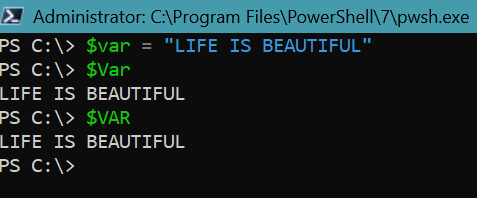
- Example – assign some value to variable var.
- Say, $var= “LIFE IS BEAUTIFUL”.
- Print the value for $var, $Var and $VAR and see the result.
- Result will be same for all the three variables.
- PowerShell variable names can include – spaces and special characters.
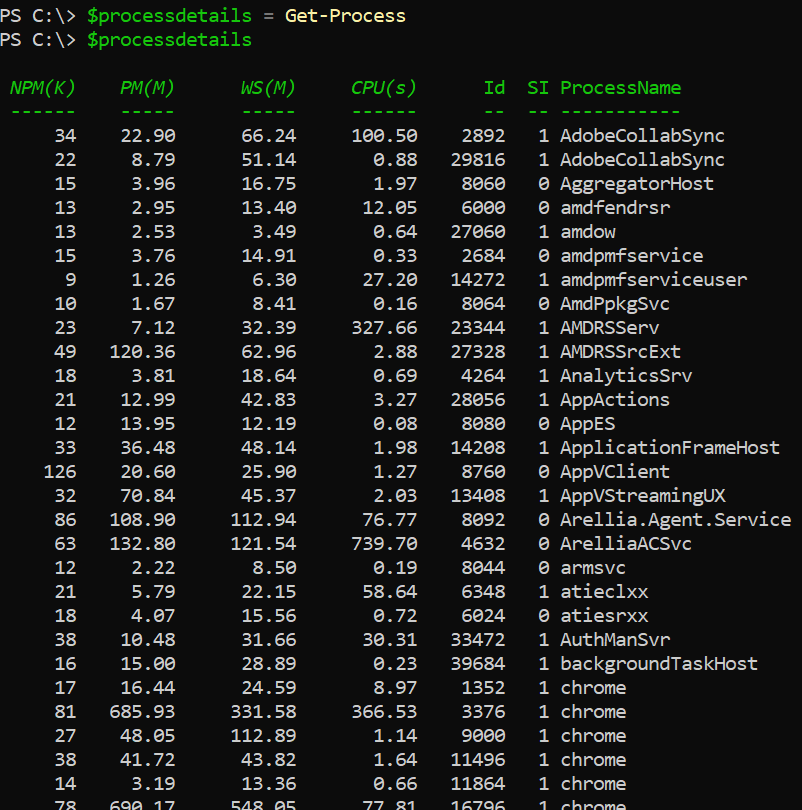
- We could store the complete PowerShell CMDLET result to PowerShell variable.
PS C:\> $processdetails = Get-ProcessPS C:\> $processdetails
PowerShell Variable Scopes
- By default, variables are only available in the scope in which they’re created.
- For example, variable created in a function is available within the function.
- A variable created in a script is available within the script.
- PowerShell has following different scopes
- Global – The root scope. These variables are available across the current session, console or runspace.
- Local – The current executing context.
- If we are inside function, our local scope is function.
- If we are running commands in console prompt, scope is the global scope.
- Script – These variables are only accessible within the script.
- Examples :
$global:global_var = "Global Variable"$script:script_var = "Script Variable"$local:local_var = "Local Variable"
Data Type of PowerShell variable
- By default, PowerShell is dynamically typed. This means, PowerShell automatically determines the type based the value assigned to it.
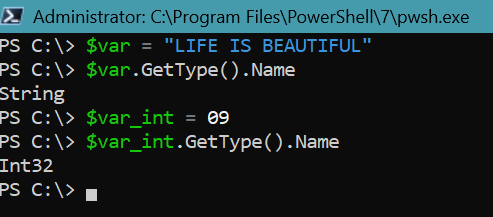
- We can append “
GetType().Name” to the variable to know the type. - Example
PS C:\> $var = "LIFE IS BEAUTIFUL"PS C:\> $var.GetType().NameStringPS C:\> $var_int = 09PS C:\> $var_int.GetType().NameInt32PS C:\>
- We can force a variable to accept only specific data type by specifying type name before the variable.
- Example
[int]$int_var = 10
- If we try to assign another type value PowerShell throws an error.
- Example: Here we will try to assign string value to variable $int_var
$var="LIFE IS BEAUTIFUL"
- We will get a following error
MetadataError: Cannot convert value “LIFE IS BEAUTIFUL” to type “System.Int32”. Error: “The input string ‘LIFE IS BEAUTIFUL’ was not in a correct format.”

Few PowerShell variable CMDLETs
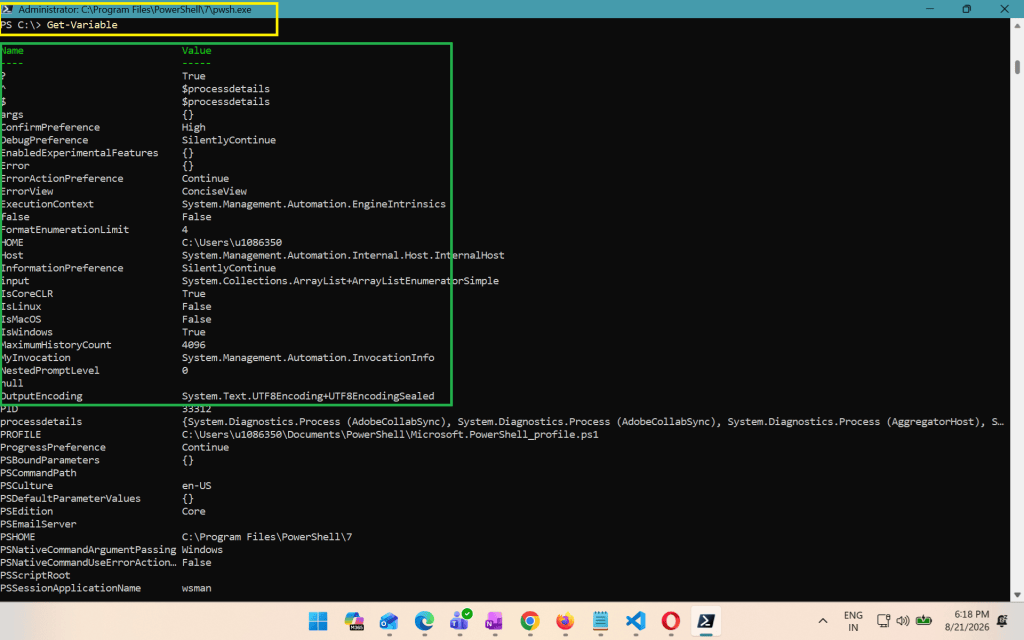
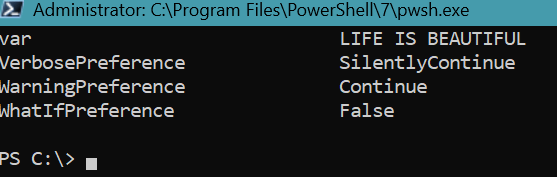
- Get-Variable
- List all variables in the session
- Clear-Variable
- Deletes the value inside a variable.
- Setting it to
$null. - But preserves the variable structure.
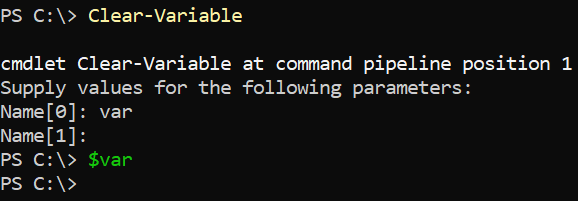
- Example: Below code clears the value of variable – var
PS C:\> Clear-Variablecmdlet Clear-Variable at command pipeline position 1Supply values for the following parameters:Name[0]: varPS C:\> $varPS C:\>
- Remove-Variable
- Completely deletes the variable and its value from memory.
- We could again execute the PowerShell CMDLET – Get-Variable and check the variable is removed or not.
Remove-Variable -Name var
- Set-Variable
- Though we can directly set the value to variable by using assignment operator.
- We can also use the CMDLET “Set-Variable” to set / update the value.
- Set-Variable CMDLET also allows us to set the description of the variable.
- Example
Set-Variable -Name "KnowledgeJunctionTenantURL" -Description "This variable holds the KnowledgeJunction tenant URL"
Types of Variables in PowerShell
- User-created variables
- These are the variables created and maintained by the users.
- Automatic variables
- These variables stores the state of PowerShell.
- These variables are created by PowerShell.
- PowerShell changes the values as required.
- Users can not change the values of these variables.
- Examples:
- $Error : Array of error object, contains most recent errors.
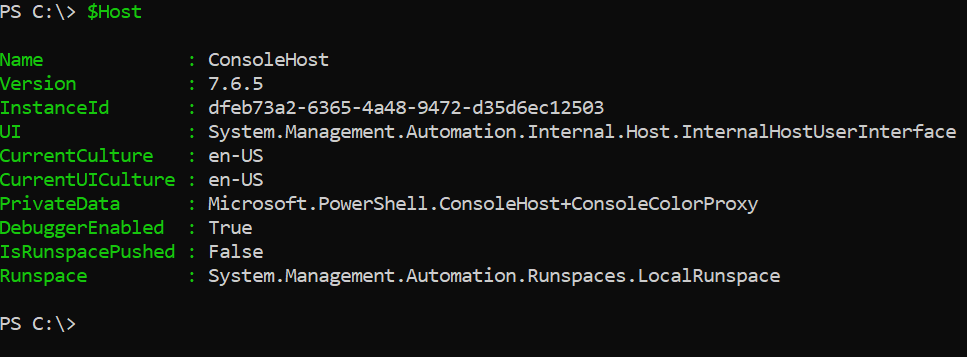
$foreach: Enumerator of a foreach loop- $Host : Contains an object that represents the current host application for PowerShell.
- Preference variables
- Preference variables store user preferences for PowerShell.
- These variables are created by PowerShell and are populated with default values.
- Users can change the values of these variables

REFERENCES:
If you new to PowerShell, take look to our PowerShell articles.
Thank you for reading.
Feel free to discuss anything about PowerShell. Have a great time ahead! LIFE IS BEAUTIFUL :)
 PowerShell scripts