Hello All,
Greetings and welcome to PowerShell Hub. Today, we will discuss one of the most important aspects of PowerShell scripting: Error and Exception Handling.
What is an Exception? OR what is an error?
- As per Microsoft – An exception is the an event that is created when normal error handling can’t deal with the issue.
Details
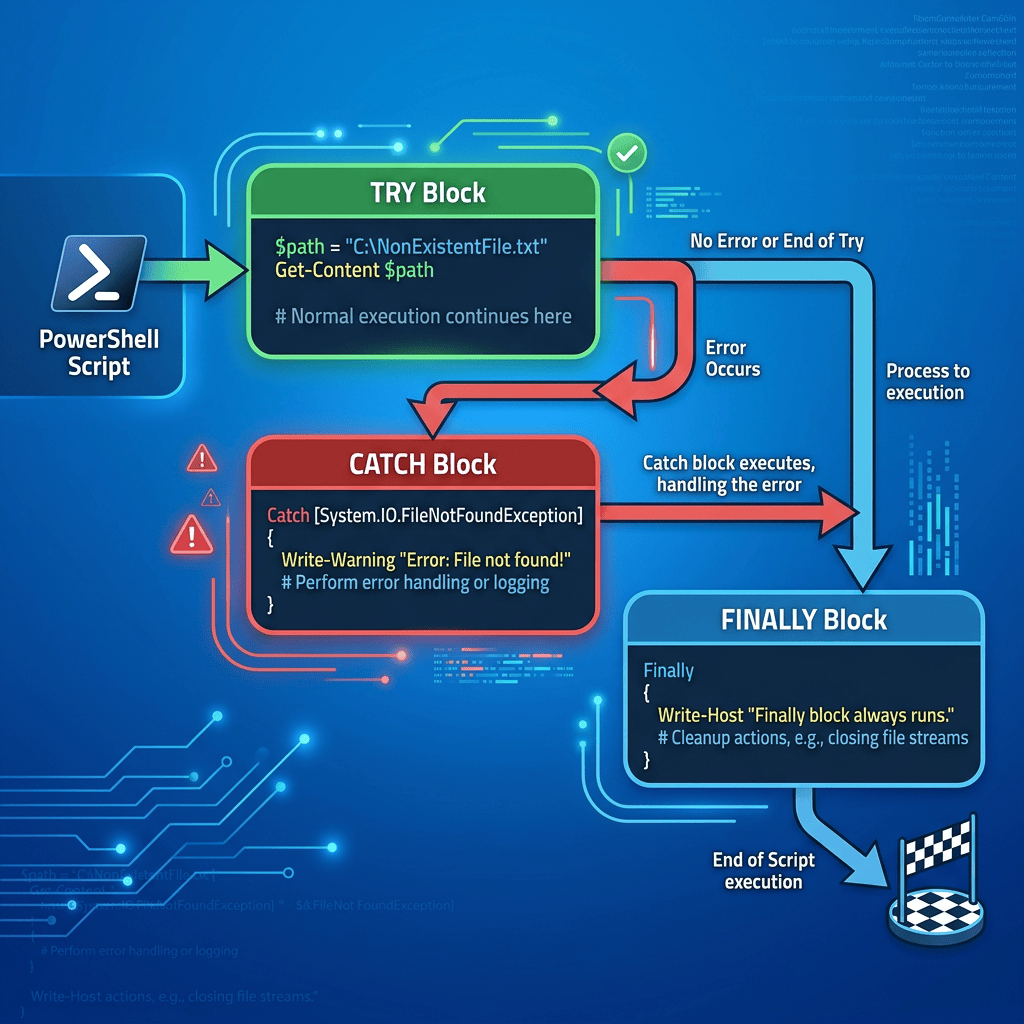
- In PowerShell we will use
Try {} Catch {} Finally {}blocks to capture, handle and manage terminating errors effectively. - What are terminating errors in PowerShell?
- Terminating errors are the errors / exception which immediately halt the execution of a PowerShell script.
- These error triggers a catch block naturally.
Basic Try-Catch-Finally Structure
Try { # Code Get-Content -Path "C:\NonExistentFile.txt" -ErrorAction Stop} Catch { # Handles the error if something breaks Write-Warning "Failed to read the file. Reason: $_"} Finally { # Always runs, useful for cleanup tasks like closing sessions Write-Host "Cleanup operations completed."}
- Here, in above code block, variable “$_” in catch block represent the error / exception object.
- We can use multiple catch blocks to capture different types of error separately.
- For example: In example below we are catching two exceptions
- One specific to – DivideByZero – Exception occurs when we divide any number by Zero (0).
- Other one is generic – catching any type of exception.
Try { $Num = 9 / 0} Catch [System.DivideByZeroException] { Write-Host "Error: Cannot divide by zero." -ForegroundColor Red}Catch { Write-Host "Error occurred: $_"}
- Other option to write exception is in text file . We can use the PowerShell CMDLET –
Add-Content.Add-Contentappends data to an existing file without overwriting its current contents. If the specified file does not exist, the cmdlet will automatically create new file.
Throw keyword
- Throw keyword is used to throw or to create our own terminating errors.
- Consider example below – we are throwing our own exception in case $price mentioned is below zero.
if($price -lt 0){ Throw "Price can not be less than 0"}
References
- https://prasham-powershell-hub.com/
- Add-Content
- https://learn.microsoft.com/en-us/powershell/scripting/learn/deep-dives/everything-about-exceptions?view=powershell-7.6
Thank you for reading.
Feel free to discuss about PowerShell.
Have a great time ahead ! LIFE IS BEAUTIFUL :)

